No Entries Found
How to register
As a registered taxpayer you can sign-up to use the SARS eFiling service, which allows you not only to file a return, make payments to SARS or request a Tax Clearance certificate but also gives you access to many other benefits via an electronic platform.
- To register as an e-Filer:
- Visit the SARS eFiling website www.sars.gov.za and click on REGISTER; or
- Download the MobiApp and tap on REGISTER
- Once you have registered, you can have different roles, for example:
- Acting as yourself when administering your own individual taxes;
- Acting as the registered representative or an employee for a company;
- Acting as an agent on behalf of someone else:
- Registered Tax Practitioners
- Employees with delegated authority from a registered tax practitioner
- Foreigner acting on behalf of a company or an individual.
SARS will recognise you as an electronic filer once your eFiling registration is complete.
- Upon registration, SARS will verify the information captured during the registration process. The outcome of this will be communicated on your eFiling registration verification page or via email.
- If your registration is successful, a One Time Pin (OTP) will be sent to your preferred channel of communication, to allow you to complete your registration.
- The statuses can either be registration successful, registration rejected or awaiting supporting documents. If the status is not successful, the taxpayer cannot use eFiling and must respond based on the correspondence received.
NB: SARS endeavors to activate new eFiling profiles within 48 hours where no supporting documentation are required.
- Where an eFiling registration is not processed within the 48 hours and supporting documents are required,
- please go to www.sars.gov.za,
- under the eFiling banner click Login, enter your username and password you created on registration,
- click Home;
- User and then
- Pending Registration, for further requirements regarding the processing of your eFiling registration.
- Here is a list of supporting documents are required;
- Proof of identity (a clear ID copy)
- Proof of residential address. A list of documents that will be accepted by SARS as proof of residential address can be found on the SARS website on the following link. Relevant Material or Supporting Documents – South African Revenue Service (sars.gov.za)
- Bank statement not older than 3 months or stamped letter confirming your bank account details, not older than 1 month
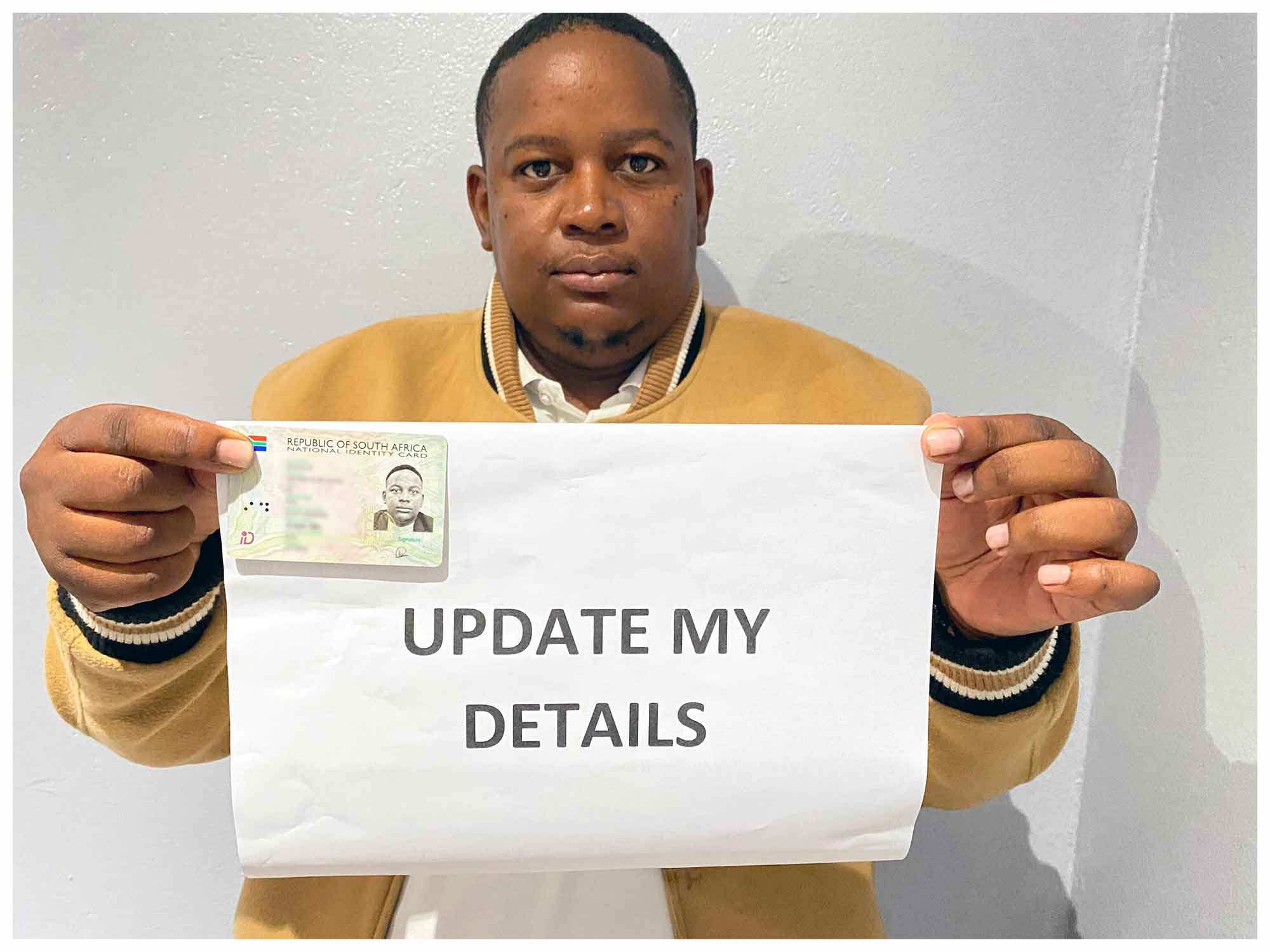
- Photo of yourself holding your proof of identity (sample attached as a guideline)